
Everything You Need to Run Telegram at Scale
SynApp replaces a dozen manual workflows with one structured platform. Here's what's under the hood.
Chat Management
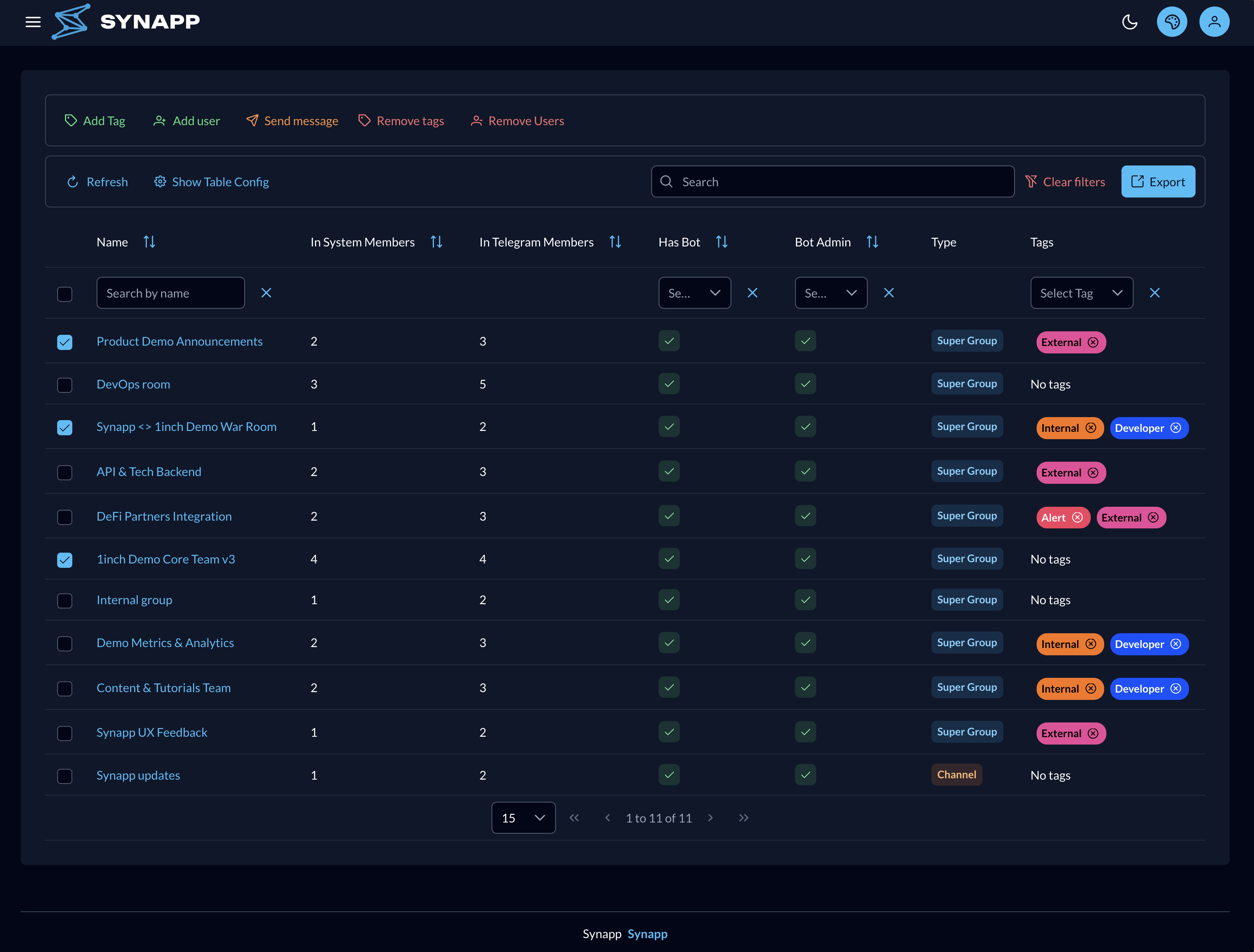
Every chat the bot manages, in one table with bulk actions — then drill into any single chat for full control.
Chats Table
Browse and bulk-manage every chat the bot is in. Select rows to add or remove tags, add or remove members, broadcast a message, or export the data — all applied to every selected chat at once.
Search by name and filter by tag to narrow a large chat list before acting on it; your column layout is remembered.
Chat Details
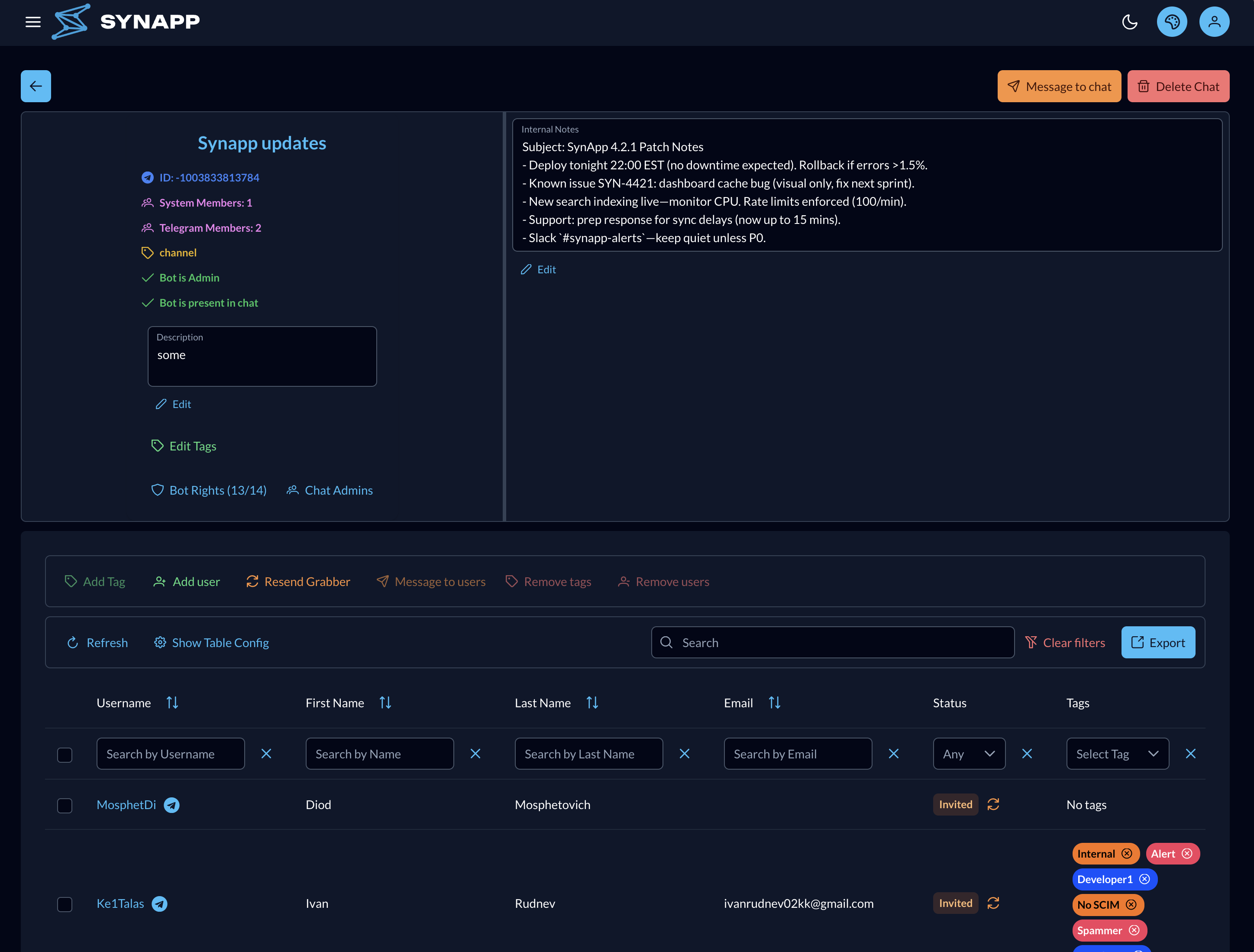
Deep-dive into a single chat: a members table scoped to that chat, an internal note visible only to admins, the chat's public Telegram description, and full permission management for the bot and Telegram admins.
The bot can only demote admins it has previously promoted, and can only grant permissions equal to or less than its own current set.
User & Access Management
One directory for every person SynApp knows — organize users in bulk, or open a single profile for the full picture.
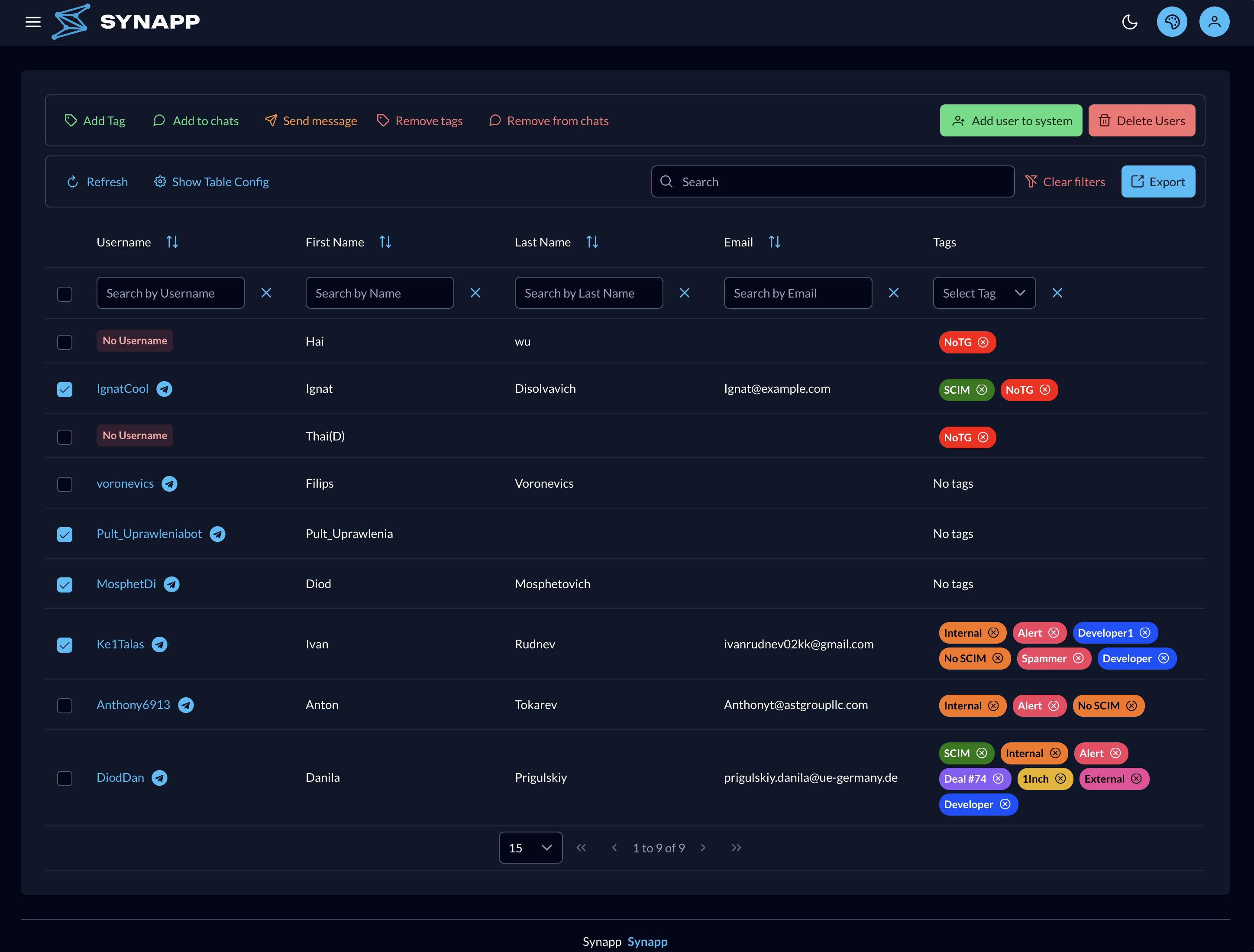
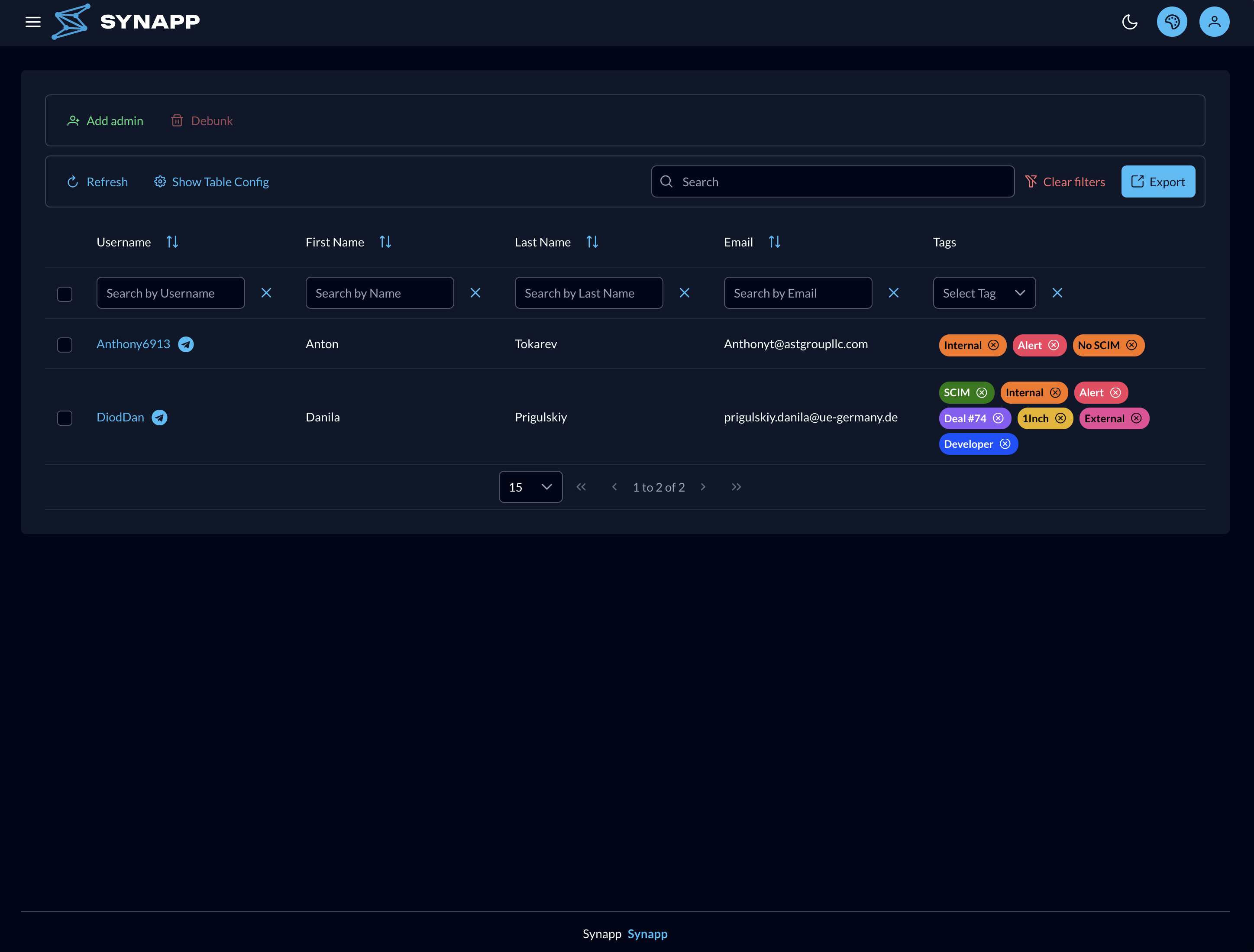
Users Table
Tag or untag users in bulk, add or remove them from chats, message them directly, or pre-create a user record before they've ever interacted with the bot — so they're linked automatically the moment they join.
Deleting a user removes them from SynApp and from every chat they belonged to, in one action.
User Details
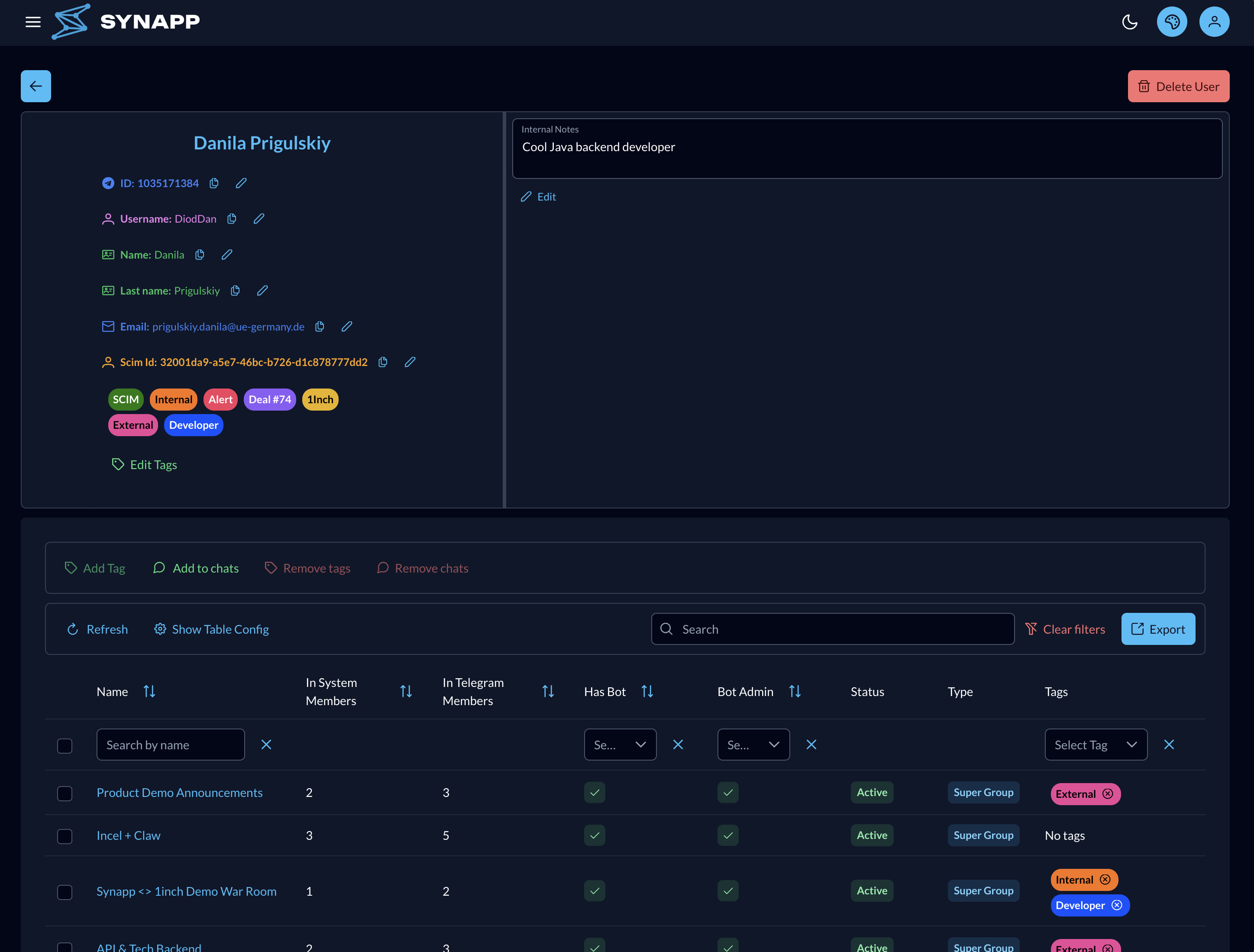
A read-at-a-glance profile for one person: identity, Telegram username and ID, tags, every chat they belong to, and their current status.
Confirm exactly who you're acting on before making any bulk or destructive change.
Admin Access
Grant or revoke access to the SynApp admin console itself. Admins added here gain full management access on their next login.
The super admin configured at deployment can't be removed from this page.
Tags & Automation
Tags are the glue between manual organization and automation — apply them once, then let filters and rules do the rest.
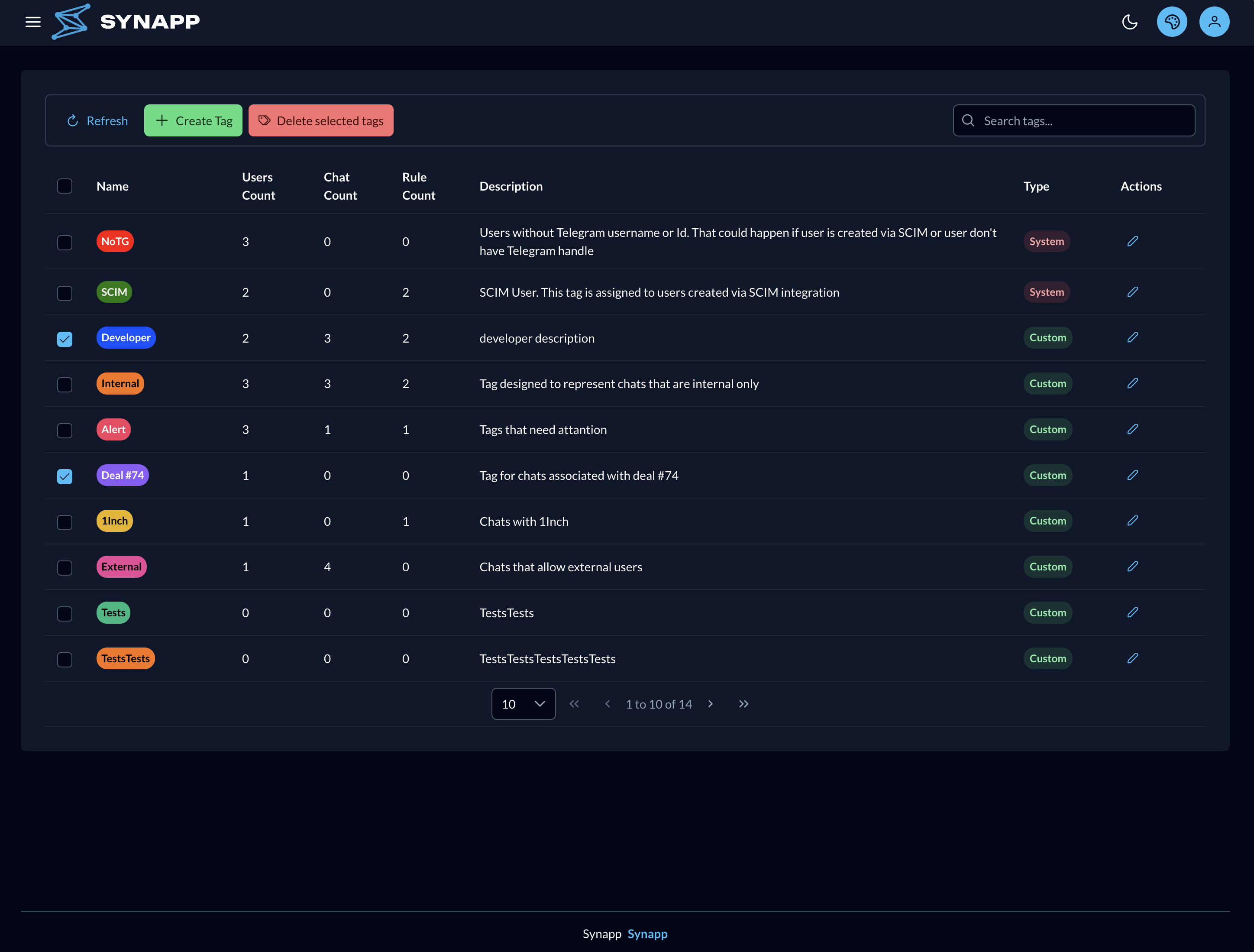
Tags
Create, edit, and delete the labels used across chats and users, with a live count of how widely each tag is used so you can see what's active and what's dead weight.
Deleting a tag removes it from everything it was attached to, and disables any rule relying solely on it.
Automation Rules
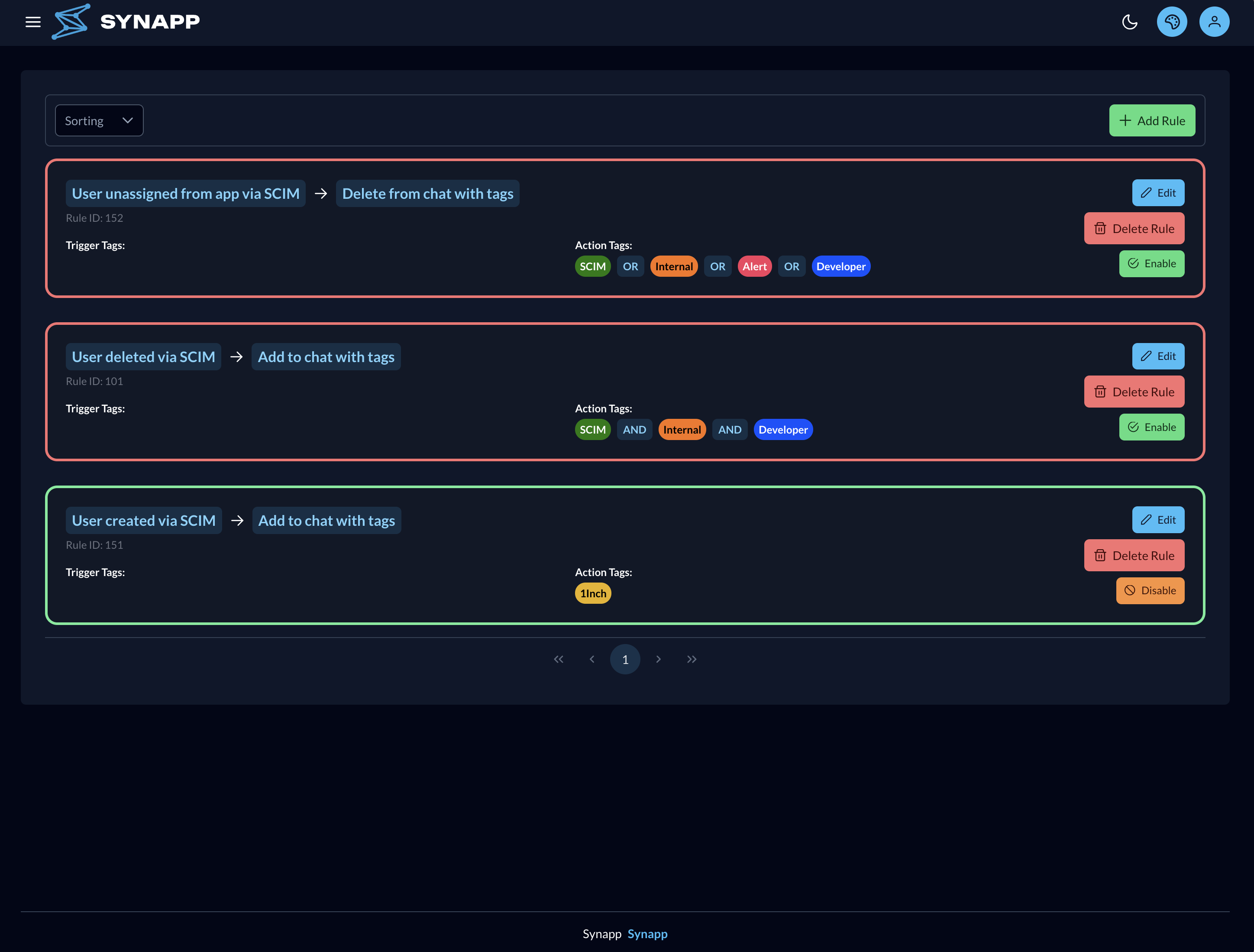
Build "when this trigger happens, apply this action to entities carrying these tags" logic, matched with an AND/OR condition. Preview exactly which chats or users a rule would affect before you save it.
Toggle a rule off to pause it for testing without losing its configuration — no need to delete and rebuild.
Messaging & Broadcasts
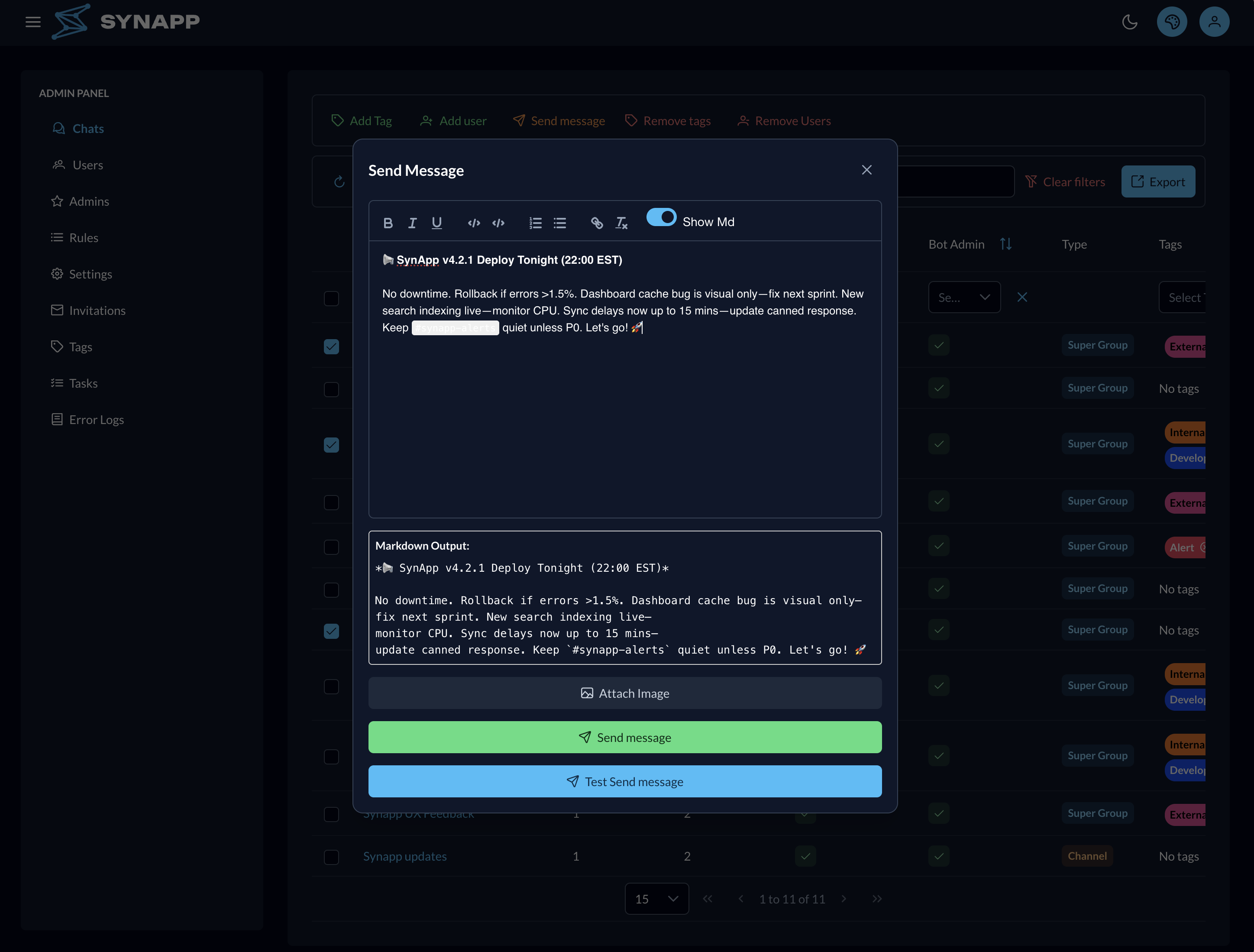
Send a Markdown-formatted message to a filtered set of chats or users — verified before it goes out.
Broadcast Messaging
Compose a message with the Telegram Markdown editor and an optional image, then send it to every selected chat or user at once. Test send delivers it to yourself first, so you can check the formatting before it reaches anyone else.
Filter chats by tag first, so a broadcast reaches exactly the group you intended — nothing more.
Onboarding & Invitations
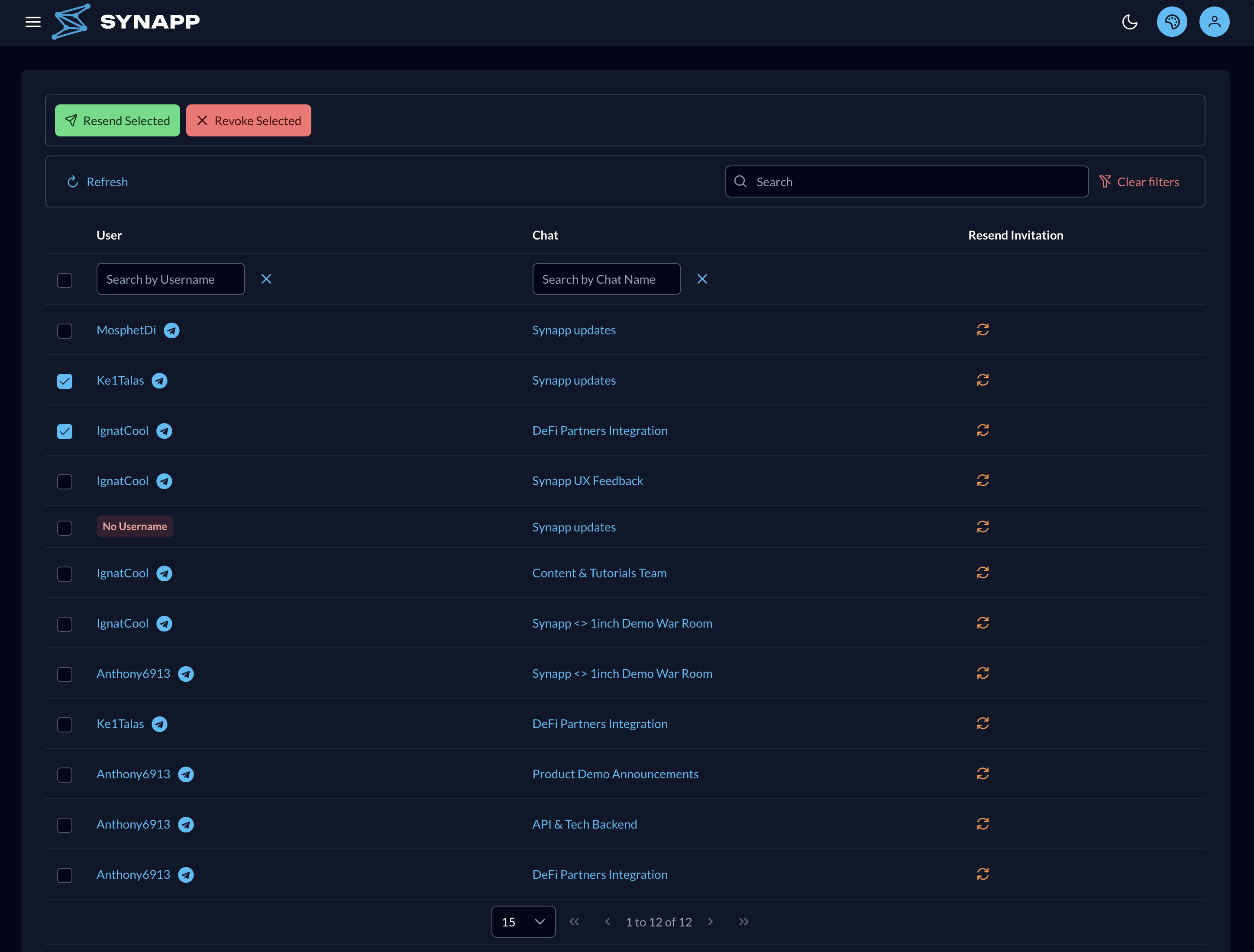
A single dashboard for every pending chat invitation, so no prospective member is lost.
Invitations Dashboard
Adding a user to a chat they haven't joined yet creates a tracked invitation here. Resend a nudge to slow responders, or revoke an invite to cancel it outright.
As soon as someone starts the bot in Telegram, SynApp auto-resolves and links their pre-created record — no manual matching required.
Data Sync & Background Tasks
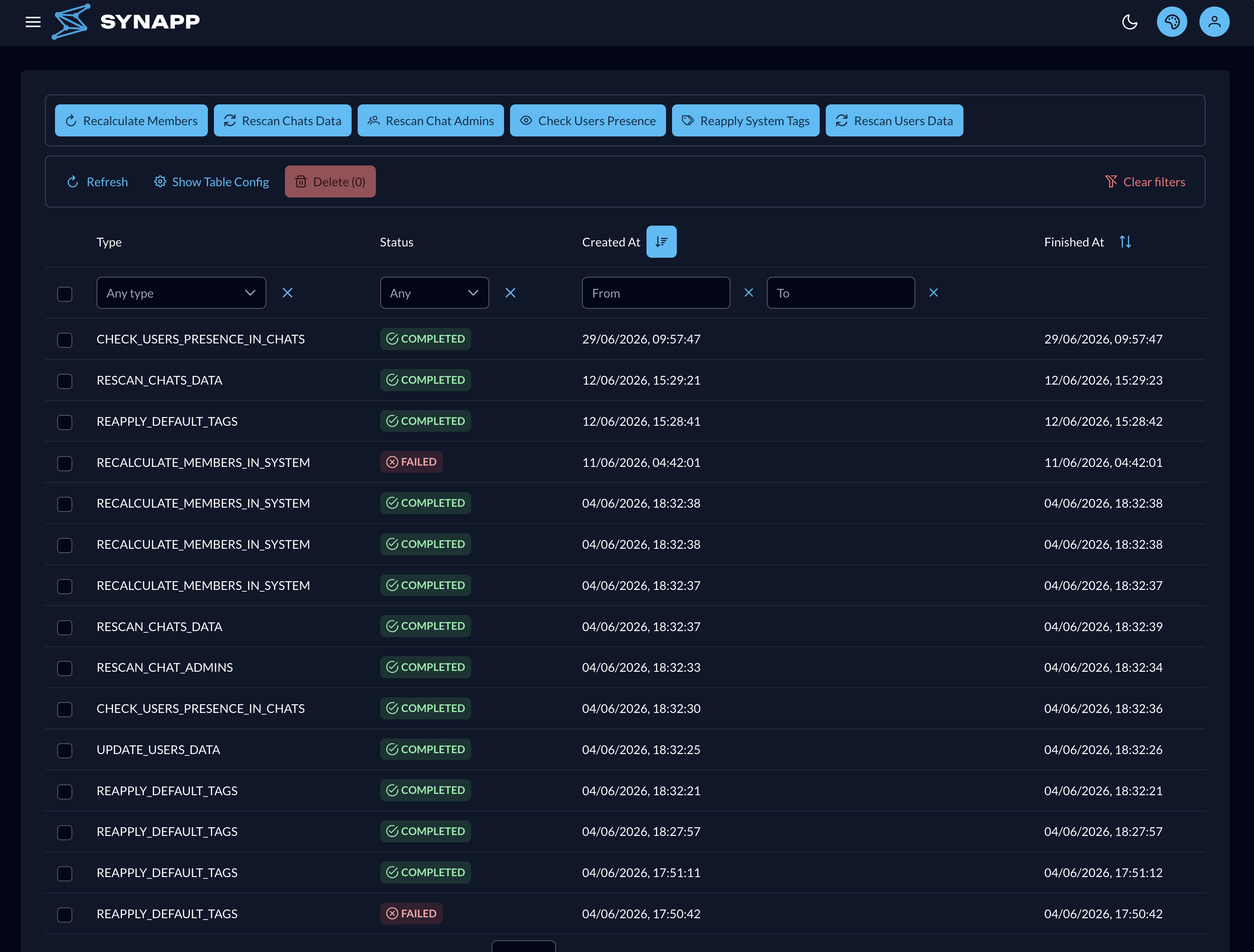
Long-running jobs that keep SynApp's data reconciled with Telegram, run and monitored from one page.
Tasks
Run rescans for chats, users, and chat admins, recalculate membership totals, reapply system tags, or run the Check users presence wizard to verify who actually belongs where.
Jobs run in the background — close the dialog and check back on the task's status whenever you like.
Monitoring & Enterprise Security
Keep tabs on application health, and plug SynApp into your company's identity stack.
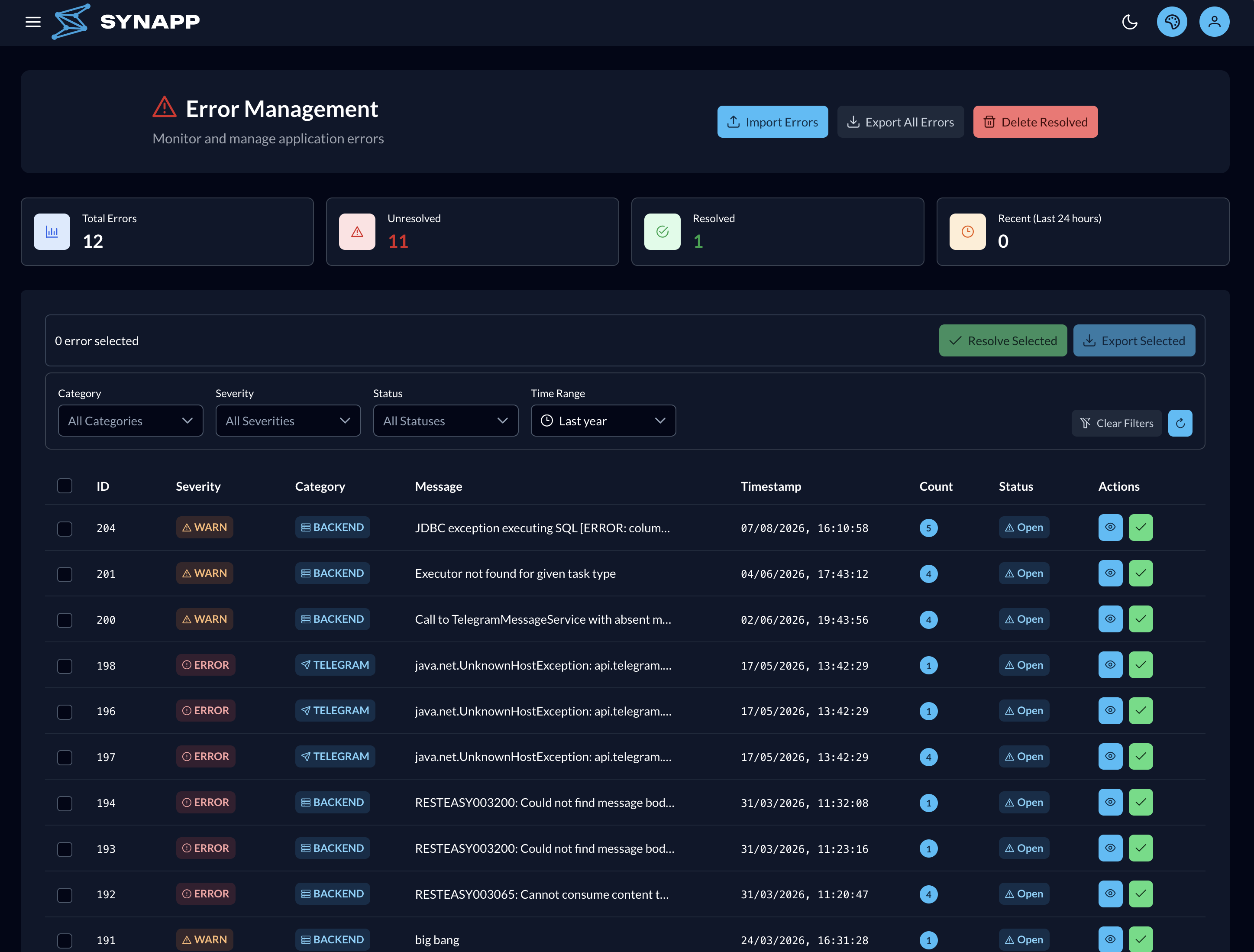
Error Logs
Filter and search errors by time range, open any error for full detail, mark individual or selected errors resolved, and import or export error data for sharing.
Delete resolved errors to clean up once you're done — this action can't be undone.
SSO & SCIM
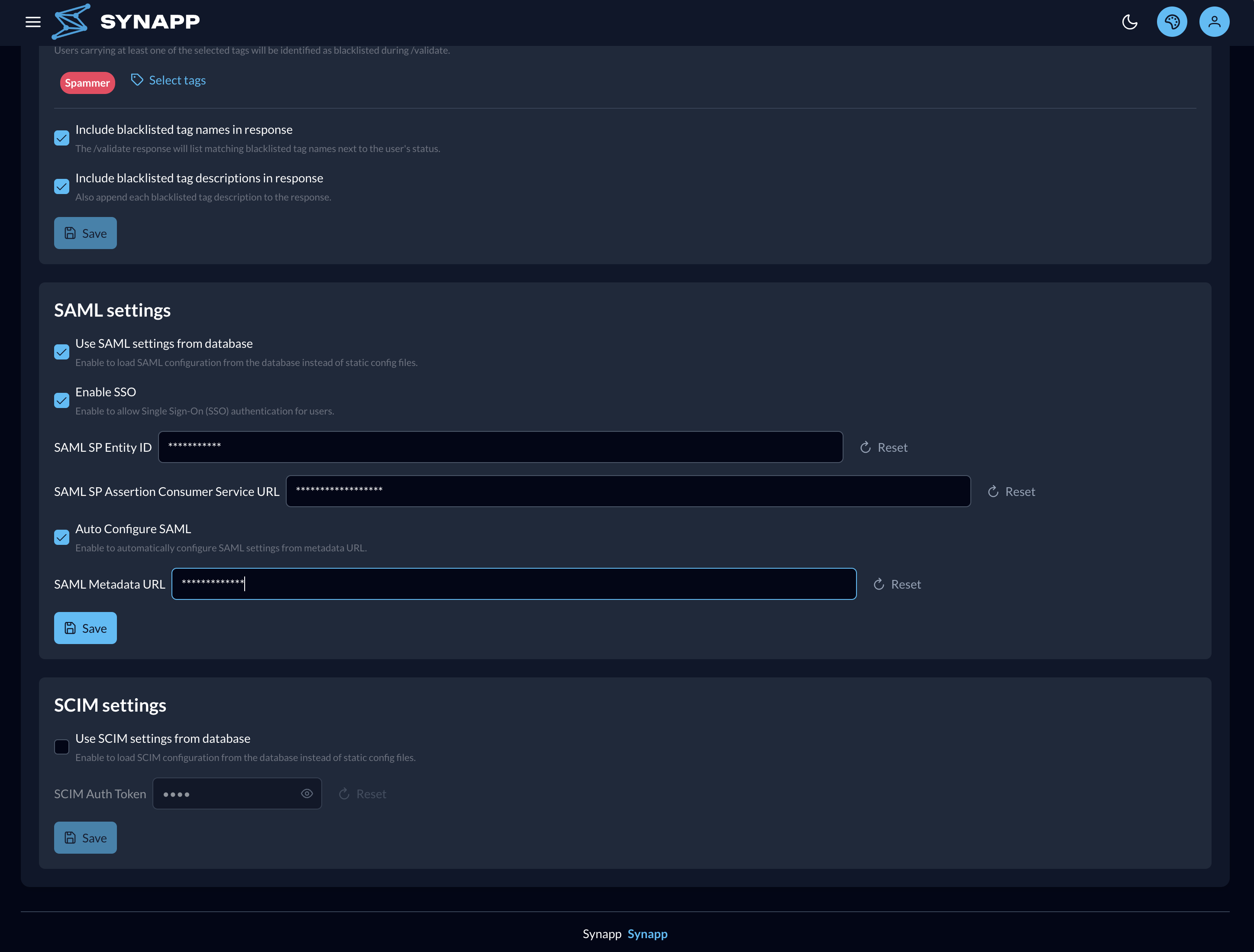
Enable SAML single sign-on and auto-configure it from an identity-provider metadata URL, or enter the IdP details manually. Turn on SCIM provisioning so your identity provider creates users automatically.
The bot's /validate command uses your tag configuration to identify team members and flag blacklisted users on the spot, right inside Telegram.
Ready to see it in action?
Book a personalized demo and see how SynApp fits your specific setup.
SynApp is actively developed. Additional capabilities including advanced analytics, custom webhook triggers, and deeper API access are on the roadmap. Reach out if you have a specific requirement.
Your Telegram Operations,
Under Control.
Book a demo and see exactly how SynApp would work for your setup. No pressure — just a clear look at what's possible.